
Augmented reality in the US driving innovation in education and training enables immersive, hands‑on learning and safe simulated practice for students and workers, accelerating skill mastery and workforce readiness when paired with focused teacher training, accessible devices, and clear metrics to measure learning gains.
Augmented reality in the US driving innovation in education and training is changing how people learn — in class and on the job. Want an example? Imagine students exploring a virtual lab or new hires practicing complex tasks safely; this article points out real uses, costs and what to watch for.
How AR reshapes classroom learning and student engagement
Augmented reality in the US driving innovation in education and training turns abstract ideas into things students can explore. Small, hands-on experiences help facts stick and spark curiosity.
Classrooms become active places where students test ideas, work together, and see how skills apply in real jobs.
Interactive simulations that build understanding
AR offers layered visuals that show systems in motion. For example, a biology lesson can reveal blood flow inside a beating heart. Students rotate the organ, zoom in, and watch processes step by step.
Active learning and collaboration
When students manipulate the same virtual object, they talk more and solve problems together. Teachers guide questions while learners try, fail, and try again in safe, repeatable ways.
- Role-play scenarios for language or history classes that increase empathy and memory.
- Hands-on math models that make geometry and ratios visible and tangible.
- Career training sims where learners practice tasks without real-world risk.
Teachers shift from lecturing to coaching. That change boosts student engagement because students plan, test, and reflect on results. Short activities fit into normal class time and keep pace with standards.
Devices range from tablets to lightweight headsets. Schools can start small by using shared tablets and free AR apps. Focus on clear goals, reliable tech, and simple classroom routines to avoid chaos.
Assessment can be quick and built into the AR activity. Teachers collect data on choices and time spent, then give targeted feedback. This lets educators see whether classroom learning is improving and where students need help.
Equity matters: pick low-cost options, train teachers, and plan for students without home access. When done right, AR can narrow gaps by offering extra practice and real-world context.
In short, AR reshapes lessons by making ideas visible, encouraging teamwork, and providing safe practice. With clear goals and simple tools, schools can raise engagement and help students learn skills that matter.
Real-world training: AR applications for workforce readiness
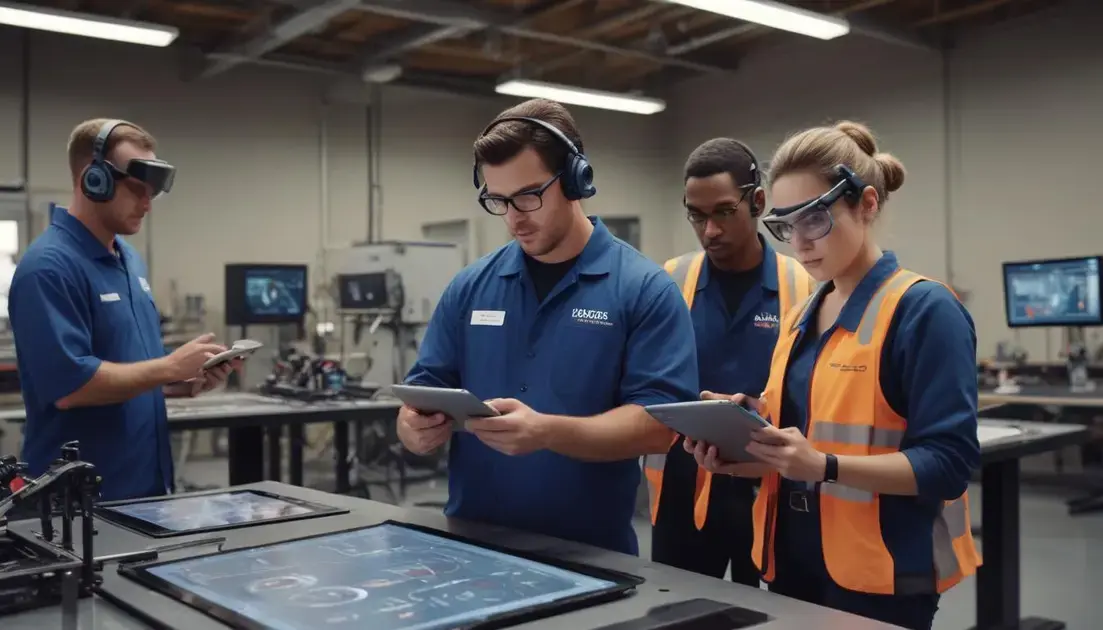
AR brings job practice into safe, repeatable scenes where learners can build real skills. Trainees move from watching to doing with guided, hands-on steps.
These experiences speed learning and cut risk by letting people try tasks before they face real machines or patients.
Hands-on simulations for job tasks
Simulations let learners rehearse exact actions: assemble parts, run checks, or follow safety steps. Visual cues and overlays show correct angles and timings.
For example, a mechanic can see torque points on a virtual engine, while a nurse practices IV insertion with a lifelike overlay. This focused practice builds muscle memory and confidence.
Just-in-time guidance and remote expert support
AR can deliver step-by-step prompts during a real task. Text, arrows, or 3D models appear only when needed, reducing cognitive load and errors.
- Remote mentors can annotate a trainee’s view in real time to correct technique.
- On-demand instructions help workers finish tasks without long manuals.
- Scenario branching lets trainees face varied problems and learn to adapt.
Programs often pair short AR modules with quick quizzes. That mix keeps sessions brief and focused, fitting into busy workdays.
Devices range from phones and tablets to lightweight headsets. Many workplaces start with tablets to lower cost and scale up as value appears.
Data from AR sessions give clear signals: where learners pause, which steps need repeats, and how long tasks take. Trainers use that data to tailor coaching and prove impact.
Adoption works best when managers set clear goals, trainers get hands-on practice, and content maps to real job standards. Small pilots reduce risk and build buy-in.
Equity matters: offer shared devices, offline content, and extra support for workers new to tech. Accessibility features and simple interfaces keep training inclusive.
Workforce readiness improves when AR blends safe practice, real feedback, and measured outcomes. With clear goals and tested tools, teams gain skills faster and with fewer mistakes.
Implementation roadmap: costs, devices and teacher training
Augmented reality in the US driving innovation in education and training needs a clear plan to move from pilots to everyday lessons. A roadmap helps school leaders match goals, money, and teacher skills.
Start small, learn fast, and scale what works while keeping equity and uptime in mind.
Budgeting and cost models
Estimate total cost of ownership, not just device price. Include software, licenses, storage, repairs, and staff time. Build a multi-year budget to avoid surprises.
Device choices and procurement
Pick hardware that fits classroom routines. Tablets are flexible and low-cost. Lightweight headsets offer deeper immersion but cost more and need care. Match devices to learning goals.
- Compare upfront price, warranty, and repair plans.
- Check software ecosystems and app availability for curriculum needs.
- Plan for charging, storage carts, and network capacity.
Negotiate bulk discounts and explore leasing options to lower initial costs. Public grants, district funds, and industry partnerships can cover pilot expenses.
Procurement should include pilots: buy a small set, test in real classes, gather teacher feedback, then expand. Pilots reveal hidden costs like mounting, cleaning, or app subscriptions.
Teacher training and professional development
Teachers need hands-on practice, not just demos. Offer short workshops, co-teaching models, and time to plan lessons that fit standards.
Use peer coaching and model lessons so teachers see practical uses. Provide quick reference guides and short video refreshers for common tasks.
- Start with a one-week pilot PD and follow with monthly micro-trainings.
- Pair teachers with tech coaches for classroom support.
- Collect teacher feedback to refine materials and pacing.
Include tech support training for IT staff and clear service-level plans for repairs and updates. Fast repairs keep devices in classrooms and reduce teacher frustration.
Measure impact by tracking usage, student engagement, and alignment to standards. Use simple metrics first, like session length and task success, then add learning outcomes.
Plan for equity: provide shared devices, offline content, and extra training where needed. Ensure students without home access still benefit from school-based practice.
Set a phased timeline: pilot (3–6 months), evaluate (1–2 months), iterate, then expand yearly. Keep stakeholders informed and adjust budgets as you learn.
A clear roadmap ties costs, devices, and teacher training to student goals. With staged pilots, solid PD, and smart procurement, schools can scale AR without disrupting learning.
Measuring impact: assessment, data and equity concerns
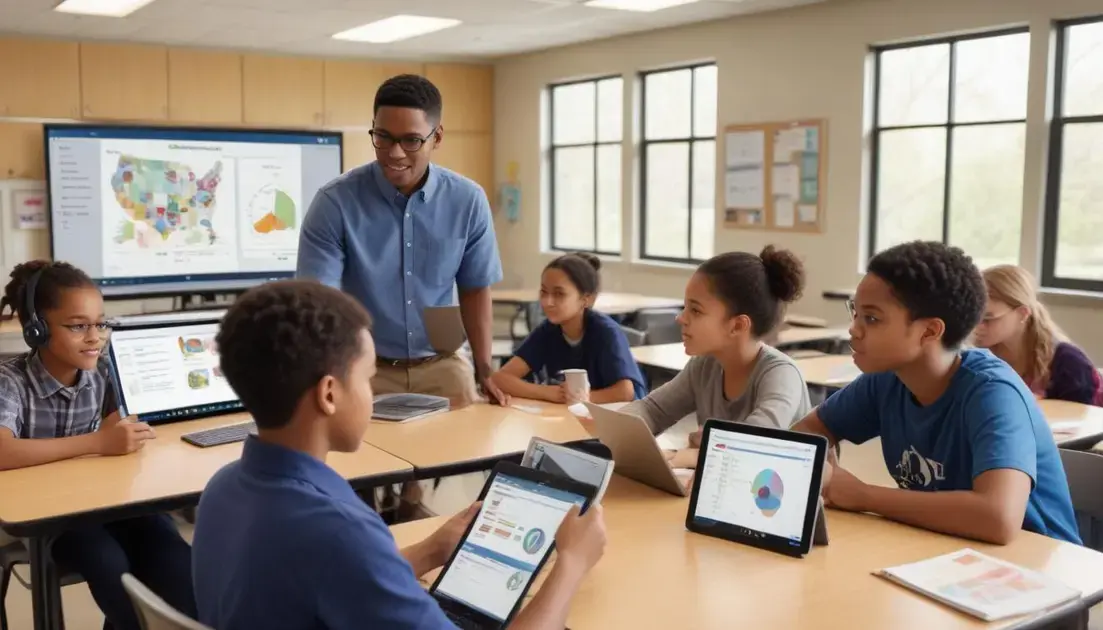
Augmented reality in the US driving innovation in education and training calls for clear ways to measure whether lessons actually help students learn. Good measurement shows what works and where to improve.
This section explains simple metrics, data sources, and fair practices so schools can assess AR without heavy tech or bias.
Key metrics to track
Focus on a few meaningful measures. Avoid tracking everything and creating noise.
- Engagement: session length, hands-on time, and active responses during AR activities.
- Learning gains: pre/post checks, task success rates, and skill mastery on target standards.
- Transfer: ability to apply skills to real tasks or deeper projects outside the AR module.
- Equity indicators: access rates, device sharing, and differences across student groups.
Collecting clear metrics helps teachers see growth and decide what to reteach. Keep data points tied to lesson goals.
Practical data sources
Use multiple, low-burden sources so results are reliable. Combine digital logs with quick classroom checks.
Automatic logs from AR apps capture time on task and choices. Short quizzes or exit tickets measure understanding in minutes. Observations and student reflections add context that numbers miss.
- In-app telemetry for steps completed and hints used.
- Formative quizzes embedded in lessons for quick scores.
- Teacher notes and short student self-reports for qualitative insight.
Make data collection part of the routine. Simple forms and one-click feedback keep teachers from getting overloaded.
Be mindful of privacy: collect only what you need, store data securely, and follow district and federal rules. Keep parents and students informed about how data will be used.
Using insights to improve learning
Turn data into action. Use short cycles of change: try, measure, adjust. This keeps AR materials practical and aligned to standards.
Share dashboards with teachers that highlight where many students struggle. Then design quick mini-lessons or tweak AR prompts to target those spots.
- Identify common errors and update guidance or scaffolds.
- Offer extra practice paths inside AR for students who need it.
- Use data to plan small group work or coaching for teachers.
Pair quantitative data with observations. Numbers tell you what happened; classroom notes explain why. Both guide smarter decisions.
Equity must be central. Disaggregate results by group to spot gaps early. Check whether device access or language barriers affect outcomes and remove those roadblocks.
Provide alternatives for students with limited home access and design assessments that do not favor tech-savvy users. Involve families and community partners when reviewing results to keep solutions grounded.
Finally, report impact in ways stakeholders understand. Use clear visuals, brief summaries, and examples of student work. That builds trust and supports steady improvement.
Augmented reality in the US driving innovation in education and training can make lessons more active and give learners safe ways to practice real skills. Start small with pilots, train teachers well, and track a few clear metrics to see what works. Focus on equity and use data to improve as you scale.
FAQ – Augmented reality in the US driving innovation in education and training
How does AR improve student engagement in class?
AR makes abstract ideas visible and interactive, encouraging hands-on practice, teamwork, and higher attention during lessons.
What devices and costs should schools expect?
Start with tablets for low cost and scale to lightweight headsets if needed; budget for apps, warranties, charging, and staff time.
How much teacher training is needed for AR lessons?
Provide hands-on workshops, peer coaching, and short micro-trainings so teachers can plan lessons and manage devices confidently.
How do schools measure impact and protect equity?
Track a few metrics like engagement and learning gains, disaggregate by group, limit data collection, and offer shared devices and offline options.