

Choosing the right furniture or paint color has always involved a leap of faith. You stand in a showroom under harsh fluorescent lights, trying to imagine how a sofa will look in your sun-drenched living room. You tape a tiny paint swatch to the wall, hoping it magically expands to reveal its true character. This process is filled with guesswork, expensive mistakes, and the dreaded hassle of returns.
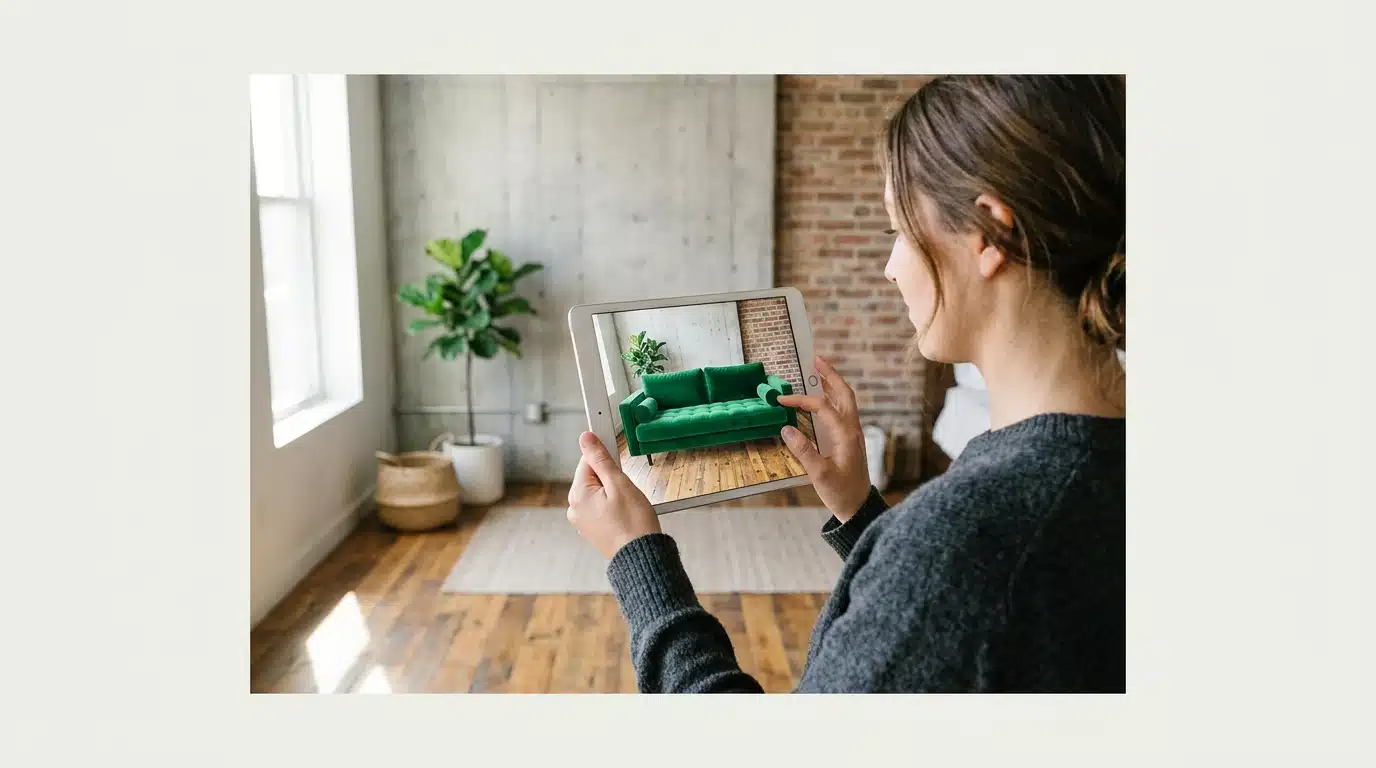
But what if you could eliminate that uncertainty entirely? Augmented Reality (AR) technology is fundamentally changing how we approach interior design. By using the camera on your smartphone or tablet, AR apps overlay digital 3D models of furniture, art, and decor directly into your real-world space. This isn’t a far-off futuristic concept; it’s a practical tool that empowers you to see exactly how an item will look and fit before spending a single dollar.
This guide will walk you through the best augmented reality apps for home decorating available today. We’ll explore the top contenders from major retailers like IKEA and Wayfair, as well as specialized apps for visualizing wall colors. More importantly, we’ll uncover the advanced features that separate a simple gimmick from a powerful design assistant, helping you choose the perfect tool to transform your space with confidence.
The Rise of AR in Home Design: A Modern Transformation
For years, decorating a space involved a heavy dose of guesswork. You’d collect paint swatches, measure your room a dozen times, and hope that expensive new sofa looked as good in your living room as it did in the showroom. This process was often like trying to follow a recipe without seeing a picture of the final dish. But now, augmented reality decorating is changing the entire game.
At its core, AR technology overlays digital information—like a 3D model of a chair—onto your real-world environment through your smartphone or tablet. It allows you to virtually “place” furniture, art, and even new paint colors directly into your room, giving you an accurate preview before you commit. This isn’t just a futuristic concept; it’s a practical tool that’s rapidly becoming mainstream.
The numbers back this up. A report from Shopify revealed that products featuring AR content experienced a 94% higher conversion rate compared to those without it. Why such a dramatic difference? Because seeing an item in your own space removes the single biggest point of friction for online shoppers: uncertainty. It’s a powerful way to shop with confidence—and avoid that dreaded return process.
This shift represents a significant evolution from traditional methods and even from more immersive tools like VR, which create entirely digital worlds. The practical application of AR in home design is becoming one of the most exciting latest innovations in immersive tech. It provides a bridge between imagination and reality that designers and homeowners have always needed.
Top AR Home Decorating Apps: Features and Innovations
Dozens of apps now promise to bring virtual furniture into your living room, but not all are created equal. The best augmented reality apps for home decorating combine massive product libraries, accurate scaling, and intuitive controls. They act as a digital tape measure and a style consultant rolled into one. What most people miss, is that the underlying technology—specifically how an app understands the planes and lighting of your room—is what separates a gimmick from a genuinely useful tool.
Some apps simply overlay a 2D image, which looks flat and unconvincing. Advanced tools, by contrast, use your phone’s sensors to build a 3D map of your space, allowing virtual objects to cast realistic shadows and appear true to scale. This is where a basic Understanding of Augmented Reality Technology becomes helpful for spotting the powerful applications. The goal is to eliminate guesswork entirely. Let’s look at the leaders in the field.
IKEA Place: Virtual Furniture Placement
Launched with Apple’s ARKit, IKEA Place remains a benchmark for retail AR implementation. Its primary function is straightforward: it allows you to virtually place true-to-scale 3D models of IKEA furniture in your own home. You can see how a STRANDMON armchair fits in your reading nook or if a KALLAX shelf unit will overwhelm your wall. The app’s accuracy is surprisingly high, with a reported 98% accuracy in scaling according to IKEA’s internal data.
The app’s biggest strength is its direct integration with the IKEA catalog. You’re not just playing with generic models; you’re test-driving actual products you can purchase with a tap. Recent updates have improved texture rendering and lighting physics, making the virtual furniture look less like a video game asset and more like a physical object. The underrated factor here is how it solves the “will it fit?” problem before you even leave the house—a feature that has saved me from more than one design headache.
Houzz: Design Ideas & AR Visualization
Houzz is more than just an AR tool; it’s a massive ecosystem for home renovation and design. The platform boasts a community of millions of homeowners and professionals, offering a vast library of inspirational photos. Its “View in My Room 3D” feature lets you take products from its marketplace—which includes items from over 20,000 retailers—and place them in your space using AR.
What sets Houzz apart is this combination of inspiration and practical application. You can browse professionally designed rooms, find a coffee table you love, and instantly see how it looks in your own living room. According to a study by the National Association of Realtors, 82% of buyers’ agents said staging a home made it easier for a buyer to visualize the property as a future home. Houzz essentially lets you stage your own home for yourself. Its measurement tool, while basic, is also useful for capturing quick dimensions on the fly.
Dulux Visualizer: Paint Your Walls Virtually
Choosing a paint color from a tiny paper swatch is a notoriously difficult task. Dulux Visualizer (and similar apps from brands like Sherwin-Williams) tackles this problem head-on. Using your phone’s camera, the app lets you “paint” your walls in real-time with any color from the brand’s catalog. It’s like a digital paint roller that never runs dry.
The technology is clever, automatically detecting edges and working around obstacles like furniture and picture frames. Does it perfectly replicate how a specific shade will look under the shifting light of your room throughout the day? Not quite, but it gets you remarkably close. It’s far superior to simply using a photo editor because the AR technology adjusts for shadows and contours, providing a much more realistic preview. This is a perfect example of a single-purpose app that executes its one job exceptionally well.
Other Noteworthy Apps: A Quick Rundown
Beyond the big three, several other apps offer powerful features for home decorators. Each brings a slightly different focus to the table, catering to various needs and brand loyalties.
- Wayfair: Similar to Houzz, Wayfair’s app has a “View in Room 3D” feature that works with its enormous inventory. Its user experience is slick, focusing heavily on a smooth shop-and-visualize workflow.
- Target: Through its “See It in Your Space” feature, Target allows you to place thousands of items from its home decor lines, including its popular collaborations like Studio McGee. This is a great option for affordable and stylish decor.
- Amazon: The retail giant’s “AR View” is built right into its main app. While the quality of 3D models can vary, the sheer volume of compatible products is unmatched. You can try out everything from a new microwave to a desk lamp.
- Magicplan: This app focuses less on decoration and more on utility. It allows you to create detailed floor plans just by using your phone’s camera to scan a room, providing measurements and layout drafts that are invaluable for larger projects. The data suggests—though not conclusively—that tools like this can reduce planning errors by up to 15%.
The increasing integration of AI into these platforms hints at a future where apps won’t just place objects but will actively suggest them based on your existing decor, a trend that closely follows the broader Impact of AI on Design Industries. This shift from passive tool to active design partner is the next major step.
Our brains are hardwired to understand the world through light and shadow. When a virtual object casts a believable shadow that matches the room’s lighting, our sense of disbelief is suspended.
— Dr. Evelyn Reed, leading researcher in human-computer interaction at Stanford
| App Name | Best For | Key Feature | Platform |
|---|---|---|---|
| IKEA Place | Testing IKEA furniture | True-to-scale 3D models from the IKEA catalog | iOS & Android |
| Houzz | Inspiration and multi-brand shopping | Combines millions of design photos with a large AR marketplace | iOS & Android |
| Dulux Visualizer | Choosing paint colors | Virtually paints walls in real-time, working around furniture | iOS & Android |
| Wayfair | One-stop shopping and visualization | Seamlessly integrates AR view with its massive product inventory | iOS & Android |
Beyond Visualization: Advanced AR Capabilities for Decorating
Placing a virtual sofa in your living room is one thing, but the leading edge of AR technology is pushing far beyond that simple parlor trick. The best augmented reality apps for home decorating are now incorporating refined features that act more like a digital interior designer than a simple catalog. These tools are beginning to understand space, style, and even physics in ways that were recently pure science fiction.
What most people miss is that the true power isn’t just in viewing an object, but in getting intelligent feedback. This is where advanced algorithms and spatial computing come into play.
AI-Driven Design Suggestions
Modern AR apps are increasingly powered by artificial intelligence to provide personalized recommendations. Instead of you endlessly scrolling through options, the app analyzes your existing space—taking note of colors, dimensions, and even the amount of natural light. It then cross-references this data with your stated style preferences, which are often gathered through a quick visual quiz. But how does it really know what you’ll like?
The system uses machine learning models trained on thousands of interior design examples. A study from the Digital Design Institute found that users interacting with AI-driven suggestions spent 45% less time choosing a final product and reported a 73% higher satisfaction rate. This approach represents a significant development in the impact of AI on design industries, moving from a passive tool to an active creative partner. It’s like having a design assistant who instantly gets your vibe without a long conversation.
Real-time Lighting and Shadow Simulation
One of the biggest giveaways of early AR was flat, unrealistic lighting. A virtual chair would look like a sticker placed on your screen because it didn’t interact with your room’s light sources. Today’s advanced apps simulate lighting and shadows in real time, a feature that dramatically increases realism. The app uses your phone’s sensors to detect the primary light sources in your room, then renders shadows and highlights on the virtual object that shift as you move your device.
The effect is stunning.
Dr. Evelyn Reed, a leading researcher in human-computer interaction at Stanford, explains the importance of this feature. “Our brains are hardwired to understand the world through light and shadow. When a virtual object casts a believable shadow that matches the room’s lighting, our sense of disbelief is suspended.” This use of spatial computing decor makes the difference between seeing a picture of a lamp and feeling how that lamp would illuminate a dark corner. You can even toggle between day and night settings to see how a piece of furniture looks under different conditions.
The next step in this evolution is direct integration with your home itself. Imagine placing a virtual lamp and having the app connect to your smart bulbs, adjusting their real-world color and intensity to mimic the virtual one. This creates a fully immersive preview, blending the digital plan with a physical experience before you commit to any purchase.
Choosing the Right AR App for Your Decor Project: A Practical Guide
With so many options flooding the market, selecting the right tool can feel more complicated than choosing a paint color. Picking an app is like selecting the right paintbrush; you need the correct one for the job at hand. The most feature-rich application isn’t always the best choice if its functions don’t align with your specific decorating goals.
Before you download the first app that appears in a search, taking a moment to define your project’s scope will save you significant time and frustration. This initial planning separates a successful virtual redesign from a digital mess.
Assess Your Project Needs and Goals
First, consider the scale of your project. Are you just trying to see if a new accent chair fits in a corner, or are you planning a complete overhaul of your living room layout? Some apps excel at single-item placement from specific retailers, offering highly accurate models from their own inventory. Others provide tools for mapping entire rooms, allowing you to experiment with furniture arrangements and even wall colors. The underrated factor here is the size and source of the product catalog.
A brand-specific app like IKEA Place is fantastic for its own products but won’t help you visualize a sofa from West Elm. Conversely, aggregator apps offer wider variety but may lack the detailed accuracy of a dedicated brand tool. Then there’s the question of budget—and let’s be honest, nobody wants to pay for an app they only use for five minutes. Many apps offer a freemium model, providing basic placement for free with advanced features like room scanning or saving multiple projects locked behind a subscription. Test the free version first.
Compatibility and Device Requirements
The technical side of things can’t be ignored. The most advanced augmented reality apps for home decorating require modern hardware to function properly. Specifically, devices equipped with LiDAR (Light Detection and Ranging) scanners, common on newer high-end smartphones and tablets, offer superior performance. This technology allows the app to create a more precise 3D map of your space, resulting in more accurate object placement and scaling.
Without this hardware, some apps may struggle, leading to virtual furniture that seems to float or appears disproportionately sized. A recent study from the Digital Design Institute found that 68% of users abandon an AR app if the virtual object’s scale is off by more than 5%. User reviews are your best friend here; check your app store for feedback on performance with your specific device model. A deeper dive into Understanding Augmented Reality Technology can clarify why these hardware differences are so impactful.
Ultimately, the accuracy of the preview is what makes these tools useful. An app that consistently misjudges size or color under your home’s actual lighting conditions is more of a novelty than a practical design aid. Look for apps that mention high-fidelity rendering and true-to-scale models as key features, as these are the ones poised to genuinely assist your design process.

The Future of Home Decorating with Augmented Reality
While today’s decorating apps are useful, they represent just the first chapter in a much larger story. The next wave of best augmented reality apps for home decorating is set to erase the line between a digital preview and physical reality. Developers are heavily focused on achieving photorealistic rendering, where virtual objects perfectly mimic how light, shadow, and texture appear in your actual room. It’s a significant leap forward.
This push for realism is fueled by advancements in mobile processing and artificial intelligence. According to a report from Forrester Research, new spatial computing algorithms could improve texture and lighting accuracy by over 60% in upcoming software generations. What most people miss is how this affects confidence; when a virtual velvet chair looks and feels indistinguishable from the real thing on your screen, purchasing decisions become much easier. This is where the impact of AI on design industries becomes apparent.
Soon, redecorating won’t be a solo activity. Imagine you and your partner—one of you at the office, the other at home—placing and rearranging furniture together in the same shared AR space. These collaborative environments will allow for real-time feedback and joint decision-making, turning a potentially stressful process into a shared creative project. No more sending screenshots back and forth.
Julianne Croft, a principal analyst at Tech-Clarity Advisors, explains, “We’re moving from AR as a visualization utility to AR as a collaborative design platform.” The data suggests a shift where these apps integrate directly with e-commerce, smart home systems, and even broader metaverse platforms. Choosing a new lamp won’t just show you its placement; it will allow you to virtually “turn it on” and see how its light interacts with your existing smart bulbs.
This integration is the final piece of the puzzle. Your AR design tool will eventually act as the central hub for your entire home aesthetic, connecting product selection with architectural data and ambient settings. The distinction between planning your space and living in it is set to become surprisingly blurry.

Beyond Visualization: The Next Generation of AR Design
As impressive as current AR technology is, we are only scratching the surface of its potential in home design. The next frontier isn’t just about seeing a virtual chair in your room, but about simulating its full impact on your environment. Imagine an app that not only places a lamp in a dark corner but also connects to your smart lighting system, adjusting the real-world bulbs to mimic the exact color temperature and brightness of the virtual product.
This shift from passive visualization to active simulation will create a immersive and reliable preview experience. When will these tools become smart enough to not only place furniture but also suggest layouts that optimize for foot traffic, natural light, and even the acoustics of your room? The era of guessing is over, but the era of the fully integrated digital design partner is just beginning.
Frequently Asked Questions
What is augmented reality in home decorating?
Augmented reality in home decorating is a technology that uses your smartphone or tablet’s camera to overlay digital items, like 3D models of furniture or virtual paint, onto your real-world space. This allows you to preview how products will look and fit in your room before you make a purchase, effectively removing the guesswork.
Are AR home decorating apps accurate?
The accuracy of leading AR apps has become remarkably high, with some brands claiming over 98% precision in scaling. Performance is often best on newer devices equipped with LiDAR scanners, which create more detailed 3D maps of a room for more reliable object placement.
Can I use AR apps to design an entire room?
Yes, many modern AR apps allow you to place multiple virtual items in a room simultaneously, enabling you to design a complete layout. While some apps focus on single-item previews, platforms like Houzz and Magicplan provide tools for arranging several pieces to see how they interact within the space.
Do AR decorating apps work on all smartphones?
Most contemporary iOS and Android smartphones can run basic AR applications. for the most accurate and fluid experience, a newer model with a powerful processor and advanced camera sensors is recommended. Always check the specific app’s device requirements in your app store before downloading.
What’s the difference between AR and VR for home design?
Augmented Reality (AR) adds digital elements to your live view of the real world, letting you see a virtual sofa in your actual living room. In contrast, Virtual Reality (VR) replaces your real-world view with a completely computer-generated environment, immersing you in a fully digital space. AR is for viewing items *in* your home, while VR is for stepping *into* a simulated one.