

Deep Dive: Analyzing the User Experience of 4 Top VR Design Review Apps in Q2 2026
The landscape of architectural, engineering, and construction (AEC) design is constantly evolving, with virtual reality (VR) emerging as a transformative technology. In Q2 2026, VR design review applications are no longer niche tools but essential platforms for visualizing, collaborating on, and refining complex projects. This deep dive focuses on the user experience (UX) of four leading VR design review apps, offering a comprehensive analysis of their strengths, weaknesses, and overall impact on design workflows. Our aim is to provide valuable insights for professionals looking to integrate the best VR design review solutions into their practices.
The Growing Importance of VR Design Review
Before we delve into specific applications, it’s crucial to understand why VR design review has become so critical. Traditional 2D drawings and even 3D models on screens often fail to convey the true sense of scale, spatial relationships, and environmental context that a physical walkthrough provides. VR bridges this gap, offering immersive experiences that allow stakeholders to ‘step inside’ a design, identify potential issues early, and make informed decisions. This significantly reduces costly errors, accelerates project timelines, and enhances client communication. The ability to conduct a comprehensive VR design review is now a benchmark for innovative design firms.
The benefits extend beyond mere visualization. Modern VR design review apps integrate powerful collaboration tools, annotation capabilities, and even simulation features, transforming the design process from a sequential, siloed activity into a dynamic, interactive, and shared experience. As hardware becomes more accessible and software more sophisticated, the adoption of VR design review is set to continue its upward trajectory.
Methodology for Our Q2 2026 Analysis
Our analysis of these four top VR design review applications for Q2 2026 is based on several key UX criteria:
- Ease of Use and Onboarding: How intuitive is the interface? How quickly can new users become proficient?
- Performance and Stability: How well does the app handle large, complex models? Are there significant lag or crashing issues?
- Collaboration Features: What tools are available for multi-user sessions, communication, and shared annotations?
- Annotation and Markup Tools: How robust and flexible are the tools for identifying and communicating design changes?
- File Compatibility: What 3D model formats are supported, and how seamless is the import process?
- Hardware Compatibility: Which VR headsets and input devices are supported?
- Unique Selling Propositions (USPs): What sets each app apart from the competition in the VR design review market?
We conducted extensive hands-on testing with each application, simulating real-world design review scenarios across various project types, from architectural blueprints to intricate mechanical assemblies. Our team comprised experienced architects, engineers, and UX specialists to ensure a well-rounded and practical evaluation of each VR design review platform.
App 1: ImmerseView Pro
Overview and Key Features
ImmerseView Pro has long been a frontrunner in the VR design review space, and its Q2 2026 update solidifies its position. It’s particularly lauded for its robust handling of extremely large and complex Revit and Rhino models, making it a favorite among large-scale architectural and urban planning firms. Its core strength lies in its optimization engine, which dynamically loads and renders geometry to maintain smooth performance even with multi-gigabyte files. This is a critical factor for any effective VR design review.
User Experience Analysis
Ease of Use: ImmerseView Pro offers a relatively steep learning curve for advanced features, but basic navigation and model loading are straightforward. The updated tutorial system in Q2 2026 has significantly improved onboarding for new users. Its menu system, while comprehensive, can feel a bit overwhelming initially.
Performance: Exceptional. Even with highly detailed models containing millions of polygons, ImmerseView Pro consistently delivered high frame rates on mid-to-high-end VR hardware. We experienced minimal stuttering, a testament to its powerful rendering pipeline. This smooth performance is paramount for an effective VR design review session.
Collaboration: Its multi-user collaboration suite is top-tier. Users can join sessions from anywhere in the world, appear as customizable avatars, and communicate via spatial audio. Shared laser pointers, synchronized views, and an intuitive ‘follow me’ mode make guided tours highly effective. The ability to create persistent review sessions that can be revisited later with all annotations intact is a major plus for VR design review workflows.
Annotation Tools: Comprehensive. Users can place 3D sticky notes, draw freehand in space, measure distances, and create section cuts in real-time. All annotations are timestamped and attributed to the user, making tracking feedback efficient. The integration with external project management tools for exporting these annotations has also seen significant improvements.
File Compatibility: Excellent, supporting native Revit, Rhino, SketchUp, IFC, FBX, OBJ, and more. The import process is generally smooth, though very large files can take time to optimize for VR. The Q2 2026 update introduced enhanced support for point cloud data, expanding its utility for renovation and existing conditions projects.
Hardware Compatibility: Supports all major PC-tethered VR headsets (Valve Index, HTC Vive, Oculus Rift/Quest via Link) and has an optimized standalone version for Meta Quest 3, albeit with some feature limitations due to hardware constraints.
USPs: Unrivaled performance with massive models, robust multi-user collaboration, and advanced point cloud integration. ImmerseView Pro remains a benchmark for serious VR design review.
App 2: DesignSpace VR
Overview and Key Features
DesignSpace VR targets a broader audience, including interior designers and product developers, with a strong emphasis on visual fidelity and ease of content creation. It distinguishes itself with an integrated material library and lighting simulation capabilities that offer a more photorealistic VR design review experience. Its Q2 2026 release focused heavily on streamlining the material application process and improving real-time rendering quality.
User Experience Analysis
Ease of Use: Very high. DesignSpace VR boasts one of the most intuitive interfaces among the apps reviewed. The learning curve is gentle, making it accessible even for users new to VR. Its drag-and-drop functionality for materials and objects is a standout feature for creative VR design review.
Performance: Good to excellent. While it might not handle truly colossal models as gracefully as ImmerseView Pro, it excels with medium to large projects, delivering beautiful visuals without significant performance drops. The real-time ray tracing features, though demanding, are impressive on compatible hardware.
Collaboration: Solid. DesignSpace VR offers standard multi-user sessions with avatars, voice chat, and shared pointers. Its unique selling point in collaboration is the ability for users to collectively ‘dress’ a space with different materials and furniture in real-time, making it ideal for client presentations and interior VR design review.
Annotation Tools: Adequate. It provides basic sticky notes, freehand drawing, and measurement tools. While functional, they are not as extensive or deeply integrated as those found in ImmerseView Pro. The focus here is more on aesthetic review than technical markups, which might be a limitation for some VR design review scenarios.
File Compatibility: Good. Primarily supports SketchUp, FBX, OBJ, and 3ds Max files. Direct integration with some CAD packages is available via plugins, but it’s not as universal as ImmerseView Pro. The material import pipeline is excellent, allowing users to bring in custom PBR textures easily.
Hardware Compatibility: Supports PC-tethered VR headsets. The standalone Quest version is currently in beta and shows promise for future development, expanding its reach for mobile VR design review.
USPs: Superior visual fidelity, intuitive material and lighting tools, and strong emphasis on aesthetic and experiential design review. DesignSpace VR is perfect for client walkthroughs and showcasing design intent.

App 3: ConstructVR
Overview and Key Features
ConstructVR is tailored specifically for the construction and engineering sectors, with a heavy emphasis on clash detection, constructability review, and sequencing simulations. Its Q2 2026 update brought significant improvements to its BIM integration and introduced AI-powered clash detection suggestions, making it a powerful tool for project managers and construction teams conducting VR design review.
User Experience Analysis
Ease of Use: Moderate. While its interface is clean, the sheer depth of its engineering-focused features requires some dedication to master. Users familiar with BIM software will find the concepts intuitive, but newcomers might need more time. The contextual help system is well-implemented, assisting users during complex VR design review tasks.
Performance: Very good. ConstructVR is optimized for large, federated BIM models. It handles multiple disciplines (architectural, structural, MEP) within a single VR environment efficiently, allowing for detailed VR design review of integrated models. Performance remains stable even when running complex simulations.
Collaboration: Excellent for technical reviews. It provides synchronized views, shared pointers, and robust voice communication. Its unique collaboration features include shared model slicing tools and the ability to highlight specific clashes for all participants simultaneously. This is invaluable for collaborative VR design review meetings focused on constructability.
Annotation Tools: Highly specialized. Beyond standard markups, ConstructVR allows users to tag specific model elements with issues, link them to external issue-tracking systems (e.g., Jira, Autodesk BIM 360), and even assign priorities and responsible parties directly within VR. The AI-powered clash detection highlights potential problems and suggests resolutions, elevating the VR design review process.
File Compatibility: Outstanding for AEC. Native support for IFC, Navisworks, Revit, AutoCAD 3D, and other common BIM formats. Its data handling and optimization for these complex file types are among the best in the market. This broad compatibility is a cornerstone for effective VR design review in the construction industry.
Hardware Compatibility: Primarily PC-tethered VR headsets, given the computational demands of its features. It also offers a robust desktop viewer for non-VR participants, ensuring inclusive VR design review sessions.
USPs: Deep BIM integration, advanced clash detection with AI assistance, and specialized tools for construction sequencing and constructability review. ConstructVR is the go-to for engineering and construction-focused VR design review.
App 4: Visionary Spaces
Overview and Key Features
Visionary Spaces positions itself as an all-in-one collaborative platform, not just for design review but for broader virtual meetings and presentations. Its Q2 2026 iteration focused on enhancing its presentation capabilities, integrating more interactive elements, and improving cross-platform accessibility. It aims to be the virtual meeting room for all stages of a project, encompassing more than just VR design review.
User Experience Analysis
Ease of Use: Very high. Visionary Spaces prioritizes a smooth and intuitive user experience, making it easy for anyone, regardless of their VR familiarity, to join and participate. Its clean interface and simplified navigation are appealing. This accessibility makes it an excellent choice for client-facing VR design review.
Performance: Good. It handles moderately complex models well, with a focus on smooth real-time interaction rather than raw polygon count. Performance can dip slightly with extremely large models or when many interactive elements are simultaneously active, but it generally remains stable for its intended use cases. For typical VR design review sessions, it performs admirably.
Collaboration: Excellent and highly versatile. Visionary Spaces offers a wide array of collaborative tools: shared whiteboards, screen sharing from desktop, live document viewing, and even the ability to embed external web content within the VR environment. Avatars are expressive, and spatial audio is clear. It facilitates holistic project discussions, not just VR design review.
Annotation Tools: Good. It provides standard markups like sticky notes, drawing tools, and basic measurements. While not as specialized for technical issues as ConstructVR, its tools are perfectly adequate for general feedback and brainstorming during a VR design review. The ability to save and share snapshots with annotations is a useful feature.
File Compatibility: Good, with support for common formats like FBX, OBJ, glTF, and SketchUp. It also allows for direct upload of 2D documents (PDFs, images) and videos, making it a comprehensive presentation tool. Its focus is on broad accessibility rather than deep native CAD integration for VR design review.
Hardware Compatibility: Broadest compatibility across all reviewed apps. Supports PC-tethered headsets, Meta Quest standalone, Pico, and even has a robust desktop client for non-VR users. This cross-platform approach is a significant advantage for inclusive VR design review.
USPs: Unparalleled versatility as a virtual meeting and presentation platform, extremely user-friendly, and broad hardware compatibility. Visionary Spaces is ideal for engaging client presentations and cross-functional team meetings where VR design review is one component.
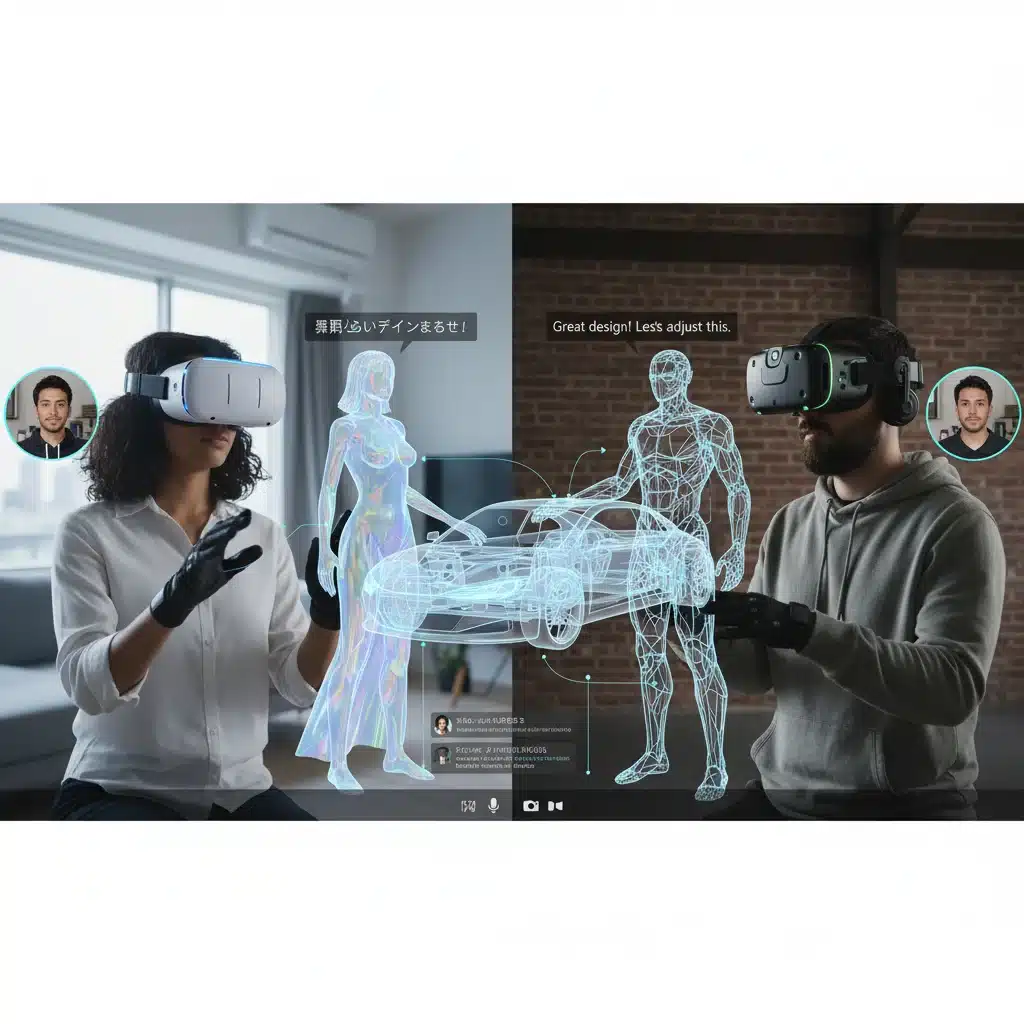
Comparative Analysis and Recommendations
Choosing the right VR design review app depends heavily on your specific needs:
- For Large-Scale Architecture & Engineering (Performance Critical): ImmerseView Pro is the clear winner. Its ability to handle massive models with exceptional performance and its advanced collaboration tools make it indispensable for complex projects requiring detailed VR design review.
- For Aesthetic & Client Presentations (Visual Fidelity Critical): DesignSpace VR shines. Its focus on photorealism, intuitive material workflows, and ease of use make it perfect for showcasing design intent and getting visual feedback during VR design review.
- For Construction & Engineering (BIM & Clash Detection Critical): ConstructVR is tailor-made. Its deep BIM integration, specialized clash detection, and sequencing tools are unmatched for constructability and technical VR design review.
- For General Collaboration & Presentations (Accessibility & Versatility Critical): Visionary Spaces offers the most flexible platform. Its broad compatibility and extensive collaboration features extend beyond mere VR design review to encompass a full virtual meeting experience.
The Future of VR Design Review
Looking beyond Q2 2026, the future of VR design review promises even greater integration and intelligence. We anticipate further advancements in:
- AI Integration: More sophisticated AI for automated design analysis, issue detection, and even generative design suggestions within the VR environment.
- Haptic Feedback: Enhanced haptic sensations will make interactions with virtual models feel more tangible and realistic.
- Augmented Reality (AR) Overlap: A blurring of lines between VR and AR, allowing for seamless transitions between fully immersive reviews and AR overlays on physical spaces.
- Cloud-Native Workflows: Even greater reliance on cloud processing for model optimization and real-time collaboration, reducing local hardware requirements for VR design review.
- Digital Twin Integration: Direct links to real-time data from operational buildings and infrastructure, allowing for life-cycle VR design review and facility management.
The continuous evolution of these technologies will only solidify VR design review as an indispensable component of the modern design and construction ecosystem.
Conclusion
The four VR design review applications analyzed—ImmerseView Pro, DesignSpace VR, ConstructVR, and Visionary Spaces—each offer distinct advantages for different professional needs in Q2 2026. From handling colossal models with unparalleled performance to delivering stunning visual fidelity or specialized BIM integration, the market provides robust options for any firm looking to leverage the power of virtual reality. The user experience across these platforms has matured significantly, offering intuitive interfaces, powerful collaboration tools, and stable performance.
As the AEC industry continues its digital transformation, embracing advanced VR design review solutions is no longer an option but a strategic imperative. By understanding the unique strengths of each platform, professionals can select the tool that best aligns with their project requirements, ultimately leading to better designs, more efficient workflows, and enhanced client satisfaction. The investment in a high-quality VR design review platform is an investment in the future of design and construction.